
XeeXR Remote Guidance
Live VR streaming from standalone VR headsets to a browser dashboard. XeeXR Remote Guidance lets users be guided remotely in real time from anywhere.
Media Gallery

XeeXR Remote Guidance
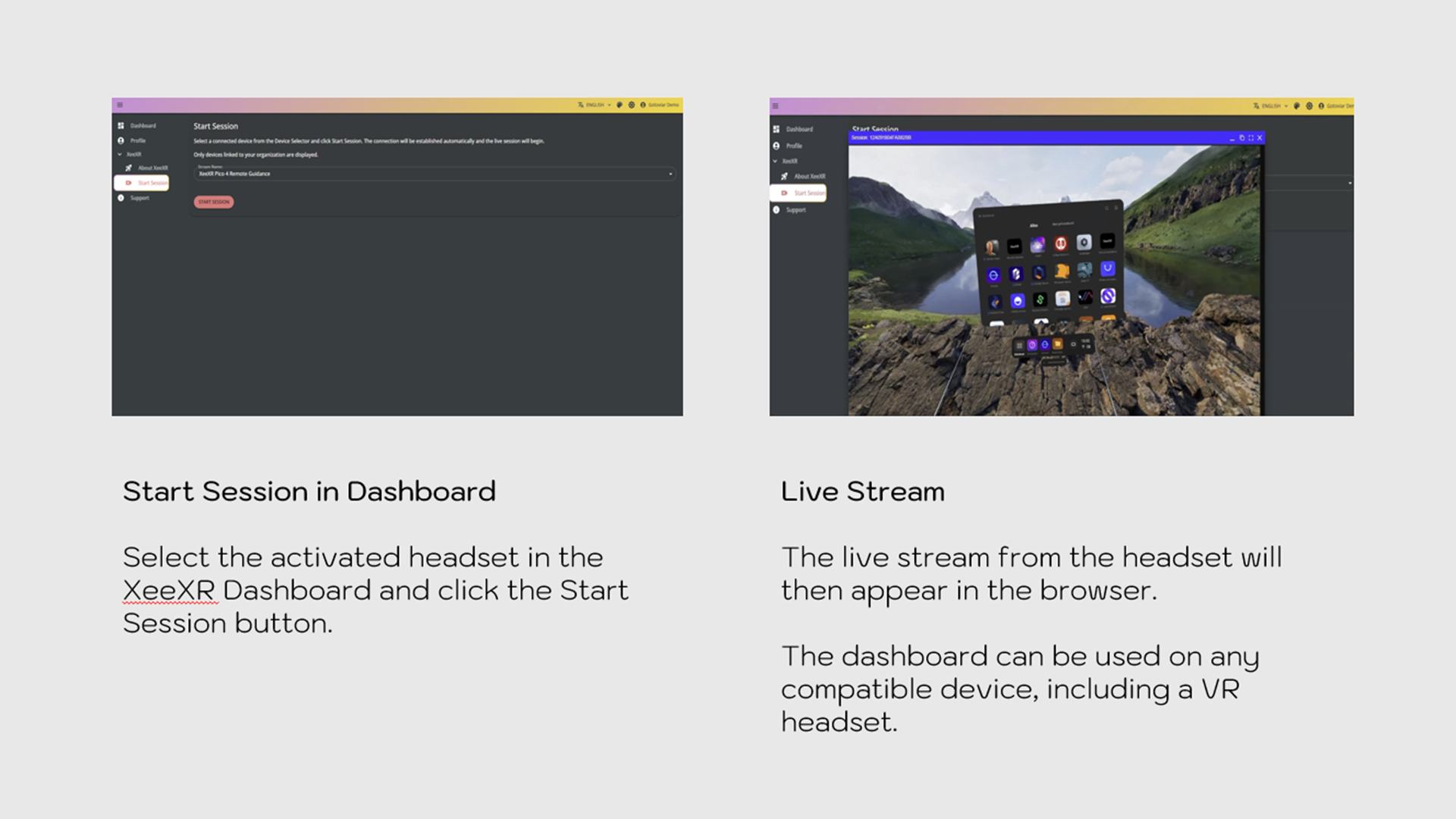
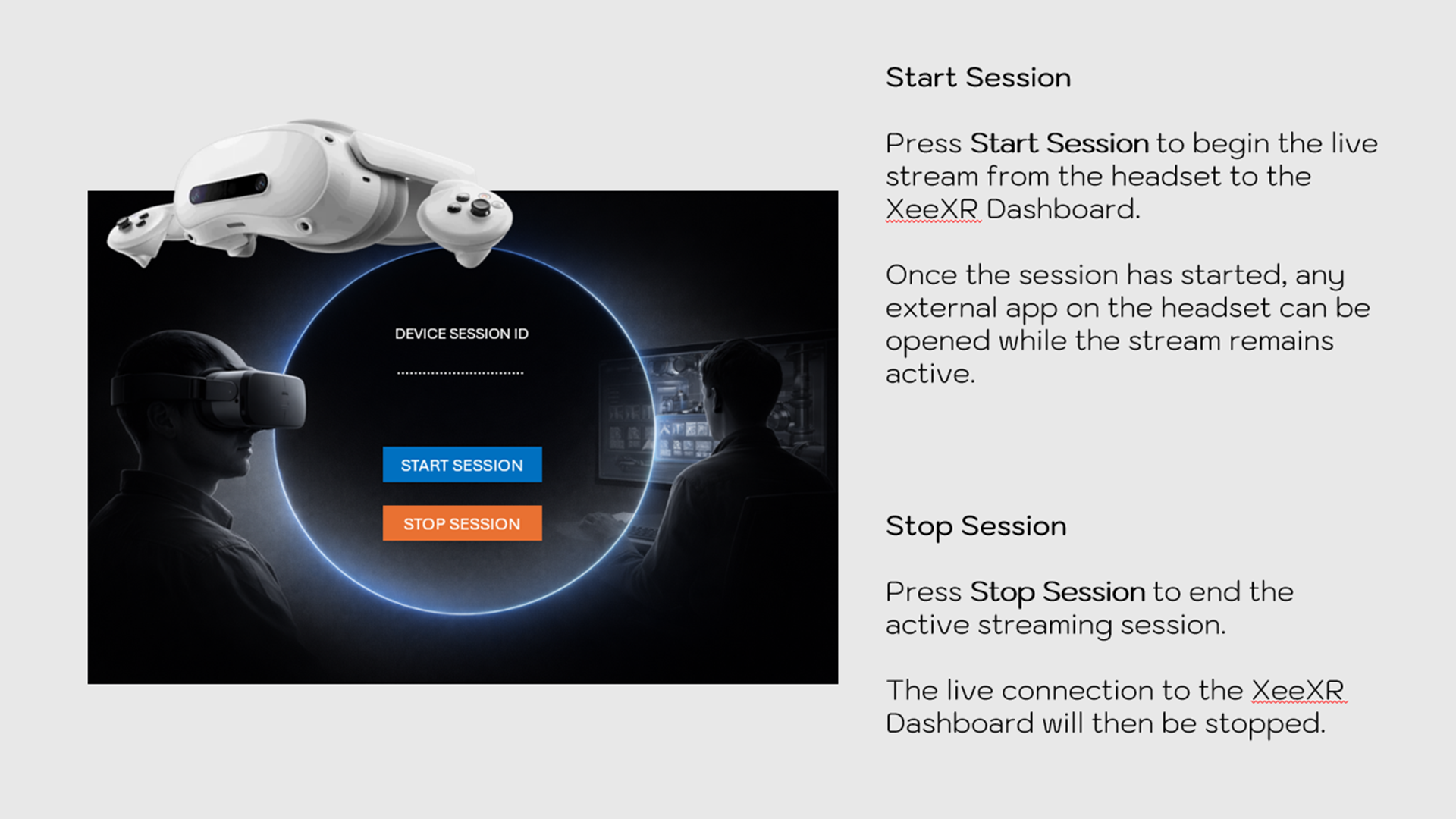
XeeXR Remote Guidance enables live streaming of external VR, AR and MR applications from standalone XR headsets to the XeeXR browser-based dashboard for professional remote guidance over the internet.
The app supports Pico 4 Ultra Enterprise, Meta Quest 3 and Meta Quest 3S.
XeeXR Remote Guidance is ideal for VR trainers who want to monitor and guide users remotely during immersive sessions. It is also suitable for organizations that need remote support for their own VR, AR or MR applications, allowing experts, supervisors or support operators to see what the user sees and provide guidance in real time.
Unlike standard casting solutions, the headset user and the trainer, supervisor or support operator do not need to be in the same location. They also do not need to be connected to the same local network. XeeXR is therefore not a local casting solution for the same room or Wi-Fi network, but a professional remote guidance solution over the internet.
Through the XeeXR Dashboard, the live XR view and audio can be received in real time. This allows sessions to be monitored and guided remotely while direct communication with the user remains possible.
Features
- Live streaming of external VR, AR and MR applications
- Real-time remote viewing over the internet
- No requirement for the same location
- No requirement for the same local network
- Ideal for remote guidance by VR trainers
- Suitable for support scenarios around your own XR applications
- Direct audio communication during the session
- Browser-based dashboard for remote guidance
Requirements
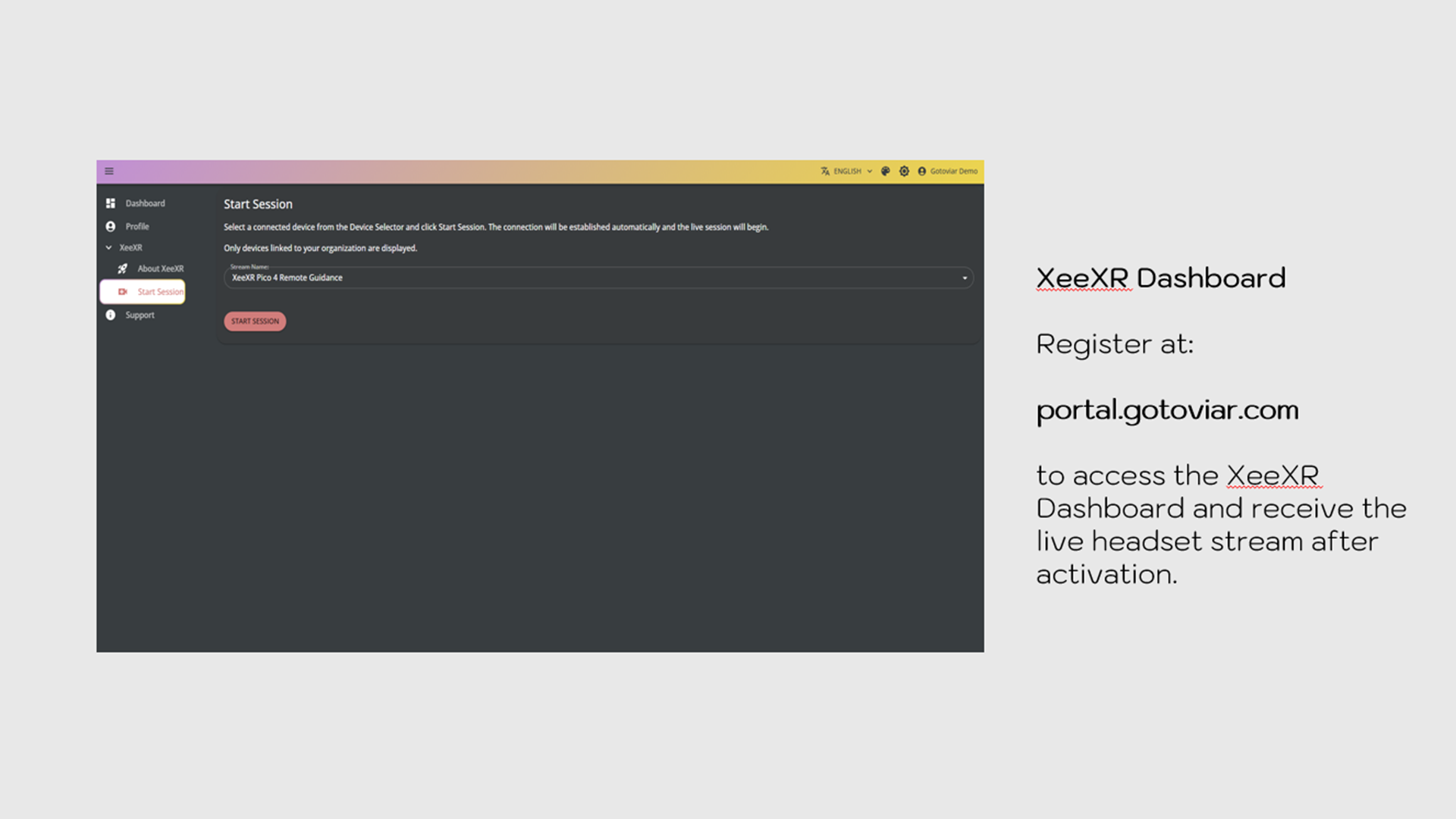
This app only works in combination with an active XeeXR Dashboard license.
Dashboard Registration
Registration via https://portal.gotoviar.com is required before use.
App Activation
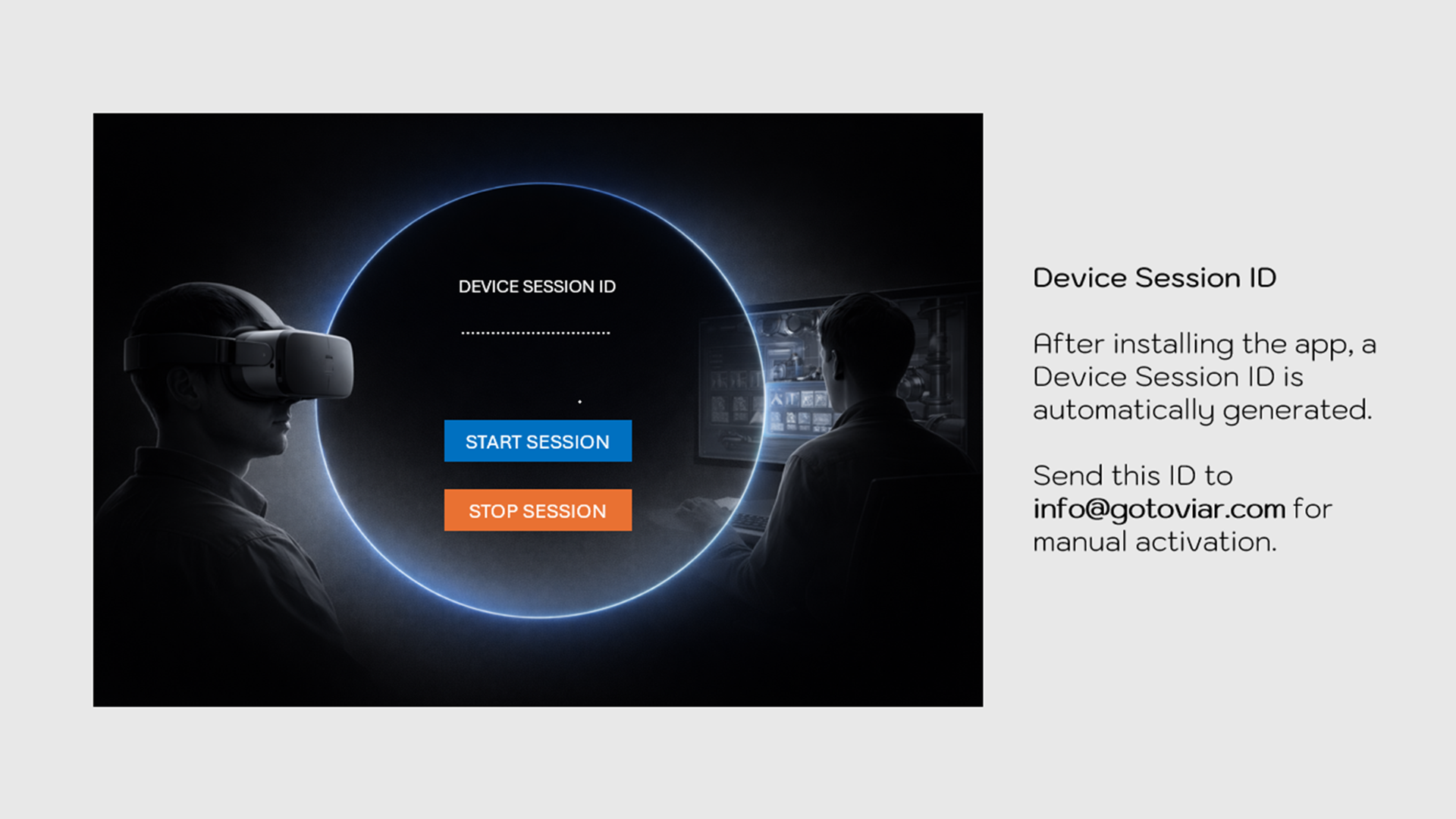
After installation, a Device ID appears in the app.
Send this Device ID along with your registered email address to info@gotoviar.com for manual activation.
Onboarding
GOTOVIAR provides manual onboarding and keeps you informed by email about the progress. You will receive confirmation once activation has been completed.
Processing Time
Activation is completed within 12 hours due to time zone differences and because GOTOVIAR is based in the Netherlands.
Early Access
GOTOVIAR offers an Early Access program for organizations that want to start with XeeXR Remote Guidance, including a 14-day free trial. The trial is completely non-binding and does not require a credit card. Pricing and terms are available on https://gotoviar.com/xeexr-remote-guidance/
More Information
For registration, licensing and activation support: info@gotoviar.com

Access All Demo Apps Now
Access Demo Apps from top enterprise and education developers for free.