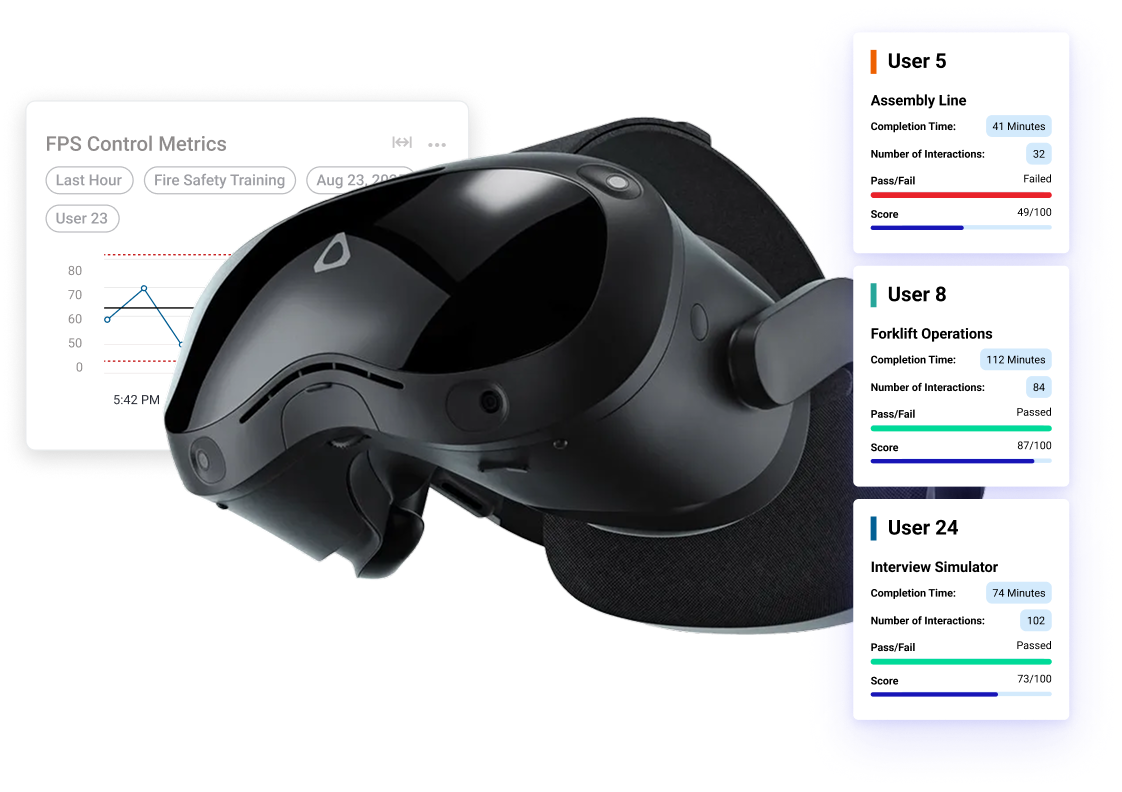
Your XR program data, in the AI you already use.
ArborXR's MCP server connects Claude, ChatGPT, Copilot, or your own agent to live fleet and learner data. Ask a question, get an answer, a report, or a dashboard.
Included with Essential, Classroom Pro, Classroom Ultimate, and Enterprise plans.
Built in one conversation.
Fictional company, real ArborXR MCP output.
Built with the ArborXR MCP in one shot with synthetic data.
Open Full Screen
Trusted by 3000+ Companies worldwide






From Questions to Custom Dashboards
Ask in plain English, against real data.
“Which devices weren’t used this week?

Click to view results

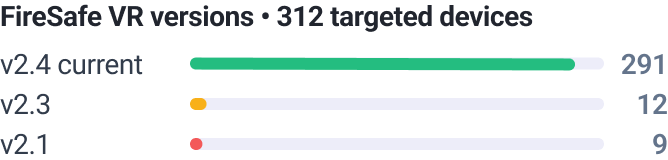
“Which devices are running an outdated version of FireSafe VR?”
Click to view results
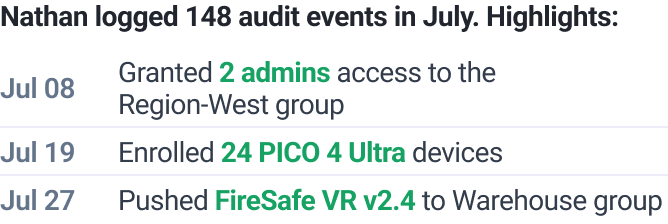
“Show me everything Nathan did across the org last month.”
Click to view results
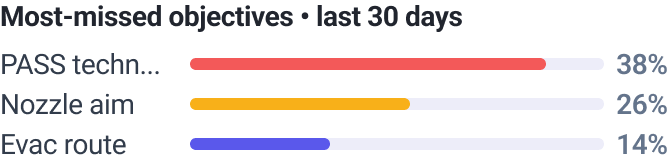
“Where do learners struggle the most?”
Click to view results
“What’s our fully-loaded cost per certified learn?”
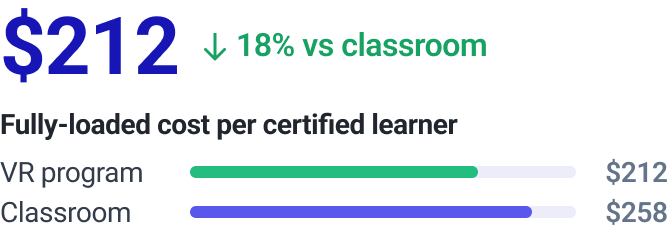
Click to view results
“Build me a QBR report for leadership.”
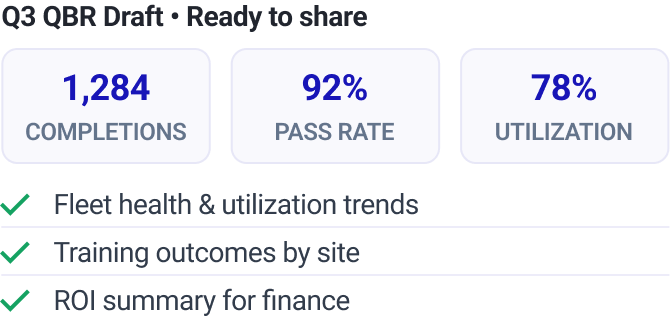
Click to view results
How it works
Connect the MCP
Point Claude, ChatGPT, Copilot, or any MCP-capable AI assistant at the ArborXR MCP. One-time setup, read-only, authenticated with your own credentials.
Ask about your fleet
Ask about devices, apps, groups, and audit logs in plain English, and get answers with the receipts to back them.
Add Insights for in-app data
Run Insights-enabled content, or add the SDK to your own apps, and the same connection starts answering learner-level questions too.
Who is it for
IT & XR operations

Answer fleet questions without opening the portal.
Catch idle headsets and stalled rollouts before someone reports them.
Pull a dated audit trail for any admin, any month.
Training & L&D leaders
Prove ROI with numbers, not anecdotes.
Answer any leadership question same-day.
Build dashboards your BI team never had time for, custom to your deployment.
ISVs & content providers
Your customers can query your app's data themselves.
Insights integration becomes a selling point, not a feature-request backlog.
Let customers access insights through ArborXR or your own dashboards.
Secure by design

Read-only access
The MCP can read your data and nothing else. It can’t unenroll a headset, push an app, change a configuration, or alter a training record.

Your credentials, your control
Access is authenticated with your own ArborXR credentials and scoped to your organization. Your data flows only to the AI assistant you choose to connect. ArborXR never shares it with anyone else.

Enterprise-grade security
Built on a SOC 2 Type II and ISO 27001-certified platform trusted by over 60 Fortune 500 companies.
Stop waiting on reports. Start asking questions.
Every question you’ve shelved is now one prompt away.