Train crews without grounding aircraft
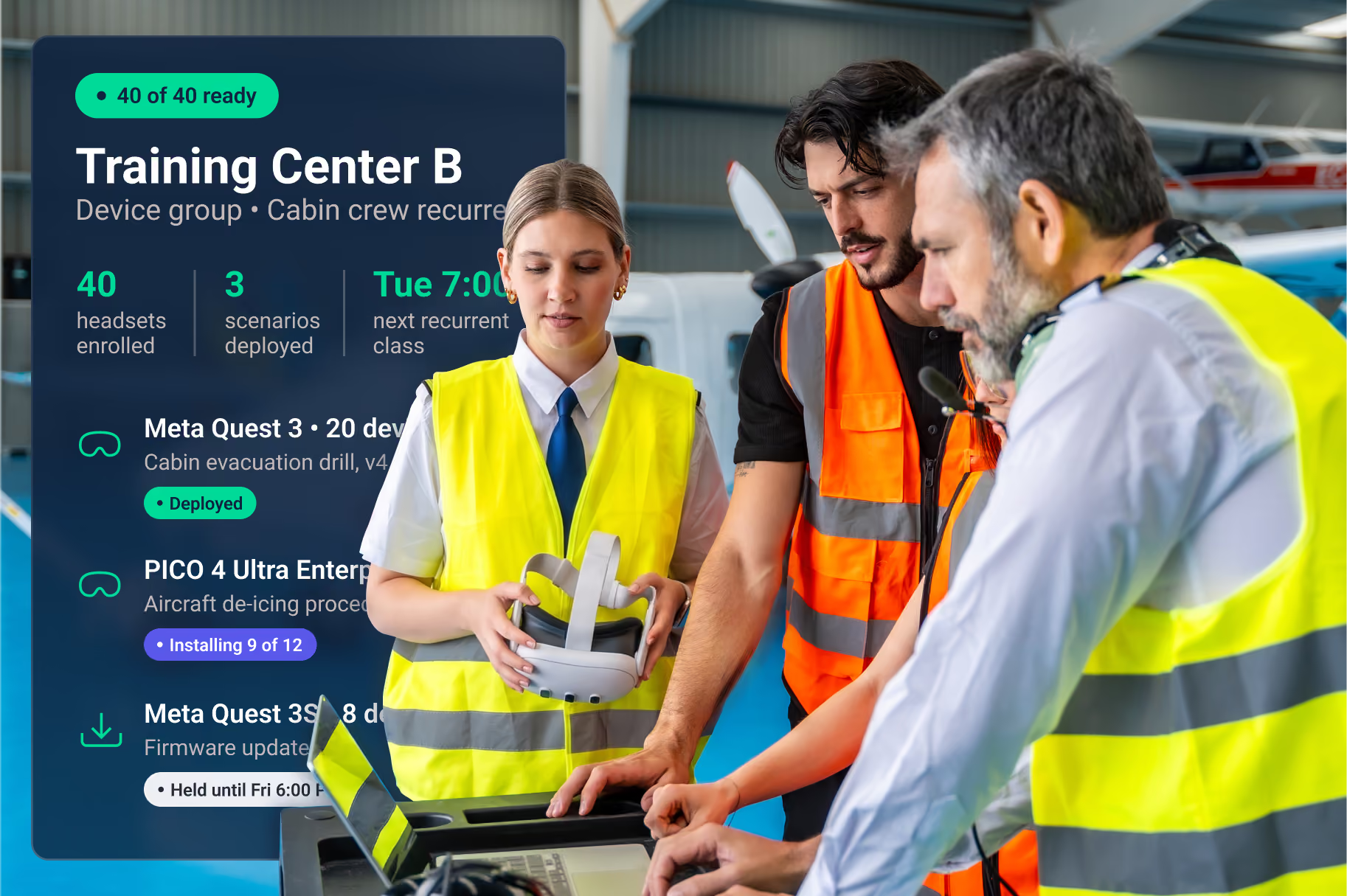
Sim slots are booked and the aircraft are flying. ArborXR keeps headsets ready at every training center: the same approved procedures on every device, updates on your schedule, and the security answers IT needs before anything touches the network.
Trusted by 5,500+ organizations and 80+ Fortune & Global 500s
Everything airlines need to run XR across hubs
Built for flight ops, cabin, and ground training teams
Flight and maintenance training
Pilots and technicians rehearse checklists, inspections, and de-icing procedures in VR, so supplemental procedural training stays on schedule while aircraft stay in service.
Cabin crew safety and service
Attendants practice emergency drills and passenger-care scenarios in realistic cabin environments. New hires onboard faster, and service stays consistent across fleets.
Ground and cargo operations
Ramp and cargo teams rehearse towing, fueling, and loading in repeatable sims before they work a live turnaround.
What VR looks like in practice
"If you are a company thinking of launching VR initiatives, you have to have an MDM. I can’t imagine having more than five to six headsets and not having data from them on ArborXR. It’s a game changer."
Program Manager VR/AR
Delta Airlines
"What we’ve got today has solved a lot of our day-to-day issues, and the management has been invaluable given the oversight and the data and the metrics that we get back from it."
major international airline
1,500+
deicing technicians trained in VR across Delta stations
1,150
crew trained on a new aircraft type before the airline had access to the aircraft
~2,000
training sessions a day on just 192 headsets
Aviation content running on arborxr
Already have a UEM? Keep it.
Intune and Workspace ONE see an Android device — they can't lock a headset into a scenario, stage XR releases, or report what happened in the sim. ArborXR runs alongside the UEM you already have. Headsets pass Intune compliance like any other device through our official Microsoft partnership, and we're Meta's official MDM partner.
Your UEM Keeps
Device inventory
Compliance status and conditional access
Identity and network policy
ArborXR Adds
Kiosk mode into a scenario
Staged XR content and firmware releases
What happened inside the sim
Security review, answered before takeoff
SOC 2 Type II and ISO 27001 certified. Training centers sit on secure corporate networks across countries, so ArborXR gives IT the controls to approve headsets once and run them everywhere. Works across Meta, Lenovo, HTC, PICO, Samsung, and Magic Leap headsets, and supports Meta AI glasses through the phones they pair with.
What IT gets on day one
SOC 2 Type II report and ISO 27001 certificate, on request
Completed security questionnaire and data-flow overview
Content stored in a bucket you control, in the region you choose
Certificate enrollment for your secure Wi-Fi (SCEP, EST, PKCS, EJBCA)
In-headset and portal SSO, two-factor, audit logs, remote wipe


Common questions from airline training teams
Can VR training count toward FAA or EASA training requirements?
That’s set by each operator’s approved training program and its regulator, not by the headset or the platform managing it. Airlines mostly use VR for supplemental procedural training, safety drills, and ground ops. ArborXR delivers that content and captures usage data operators add to their training records.
How do airlines use VR for training?
The most common programs are cabin crew emergency drills, ramp and ground operations, de-icing procedures, and maintenance familiarization. These are high-repetition skills that are hard to practice on a live aircraft.
How do you deploy VR headsets across multiple training centers?
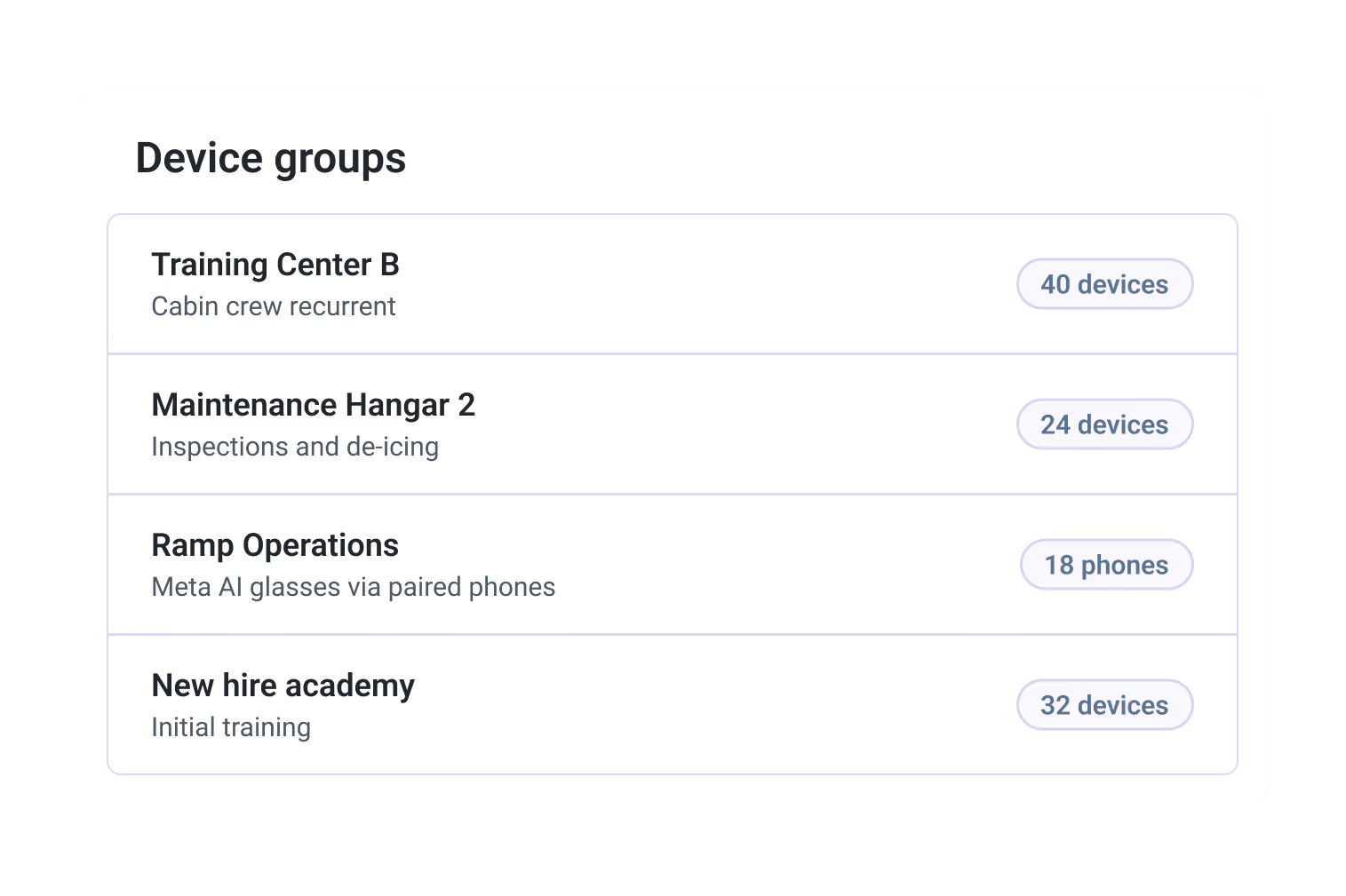
Group headsets by hub, crew type, or fleet, then push content through release channels so every center runs the same approved version. New headsets enroll by QR code or in batches, and firmware updates wait for a window you pick, not mid-class.
Can instructors see what a trainee sees in the headset?
Yes. Instructors can live-view any headset from the ArborXR console and watch a drill as the trainee runs it, whether they’re in the same room or at another hub.
Can’t our IT team manage headsets in Intune?
Intune manages the device. It can’t lock a headset into a training module, stage XR content by hub, or show what happened in the sim. Most airlines run ArborXR alongside their UEM, and headsets still show up as compliant in Intune.
Does ArborXR make VR training content?
No. We get content onto headsets and keep it current. Bring apps from your content developer or in-house team, plus videos and WebXR, and host them in ArborXR or your own S3 bucket.
Which devices does ArborXR support?
VR and mixed reality headsets from Meta, Lenovo, HTC, PICO, Samsung, and Magic Leap, managed from one console. ArborXR was also the first MDM to support Meta AI glasses, managing the phones they pair with, so a glasses pilot doesn’t need a second tool.