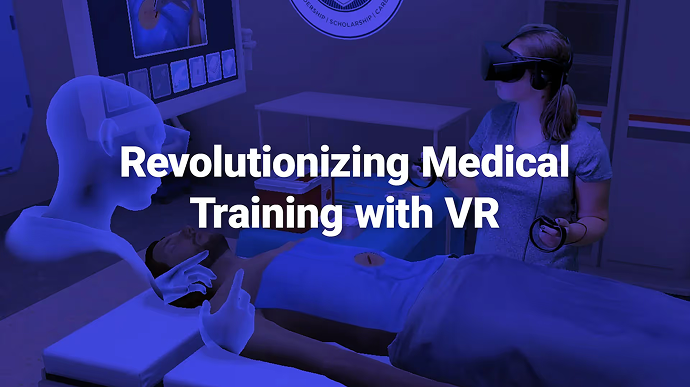
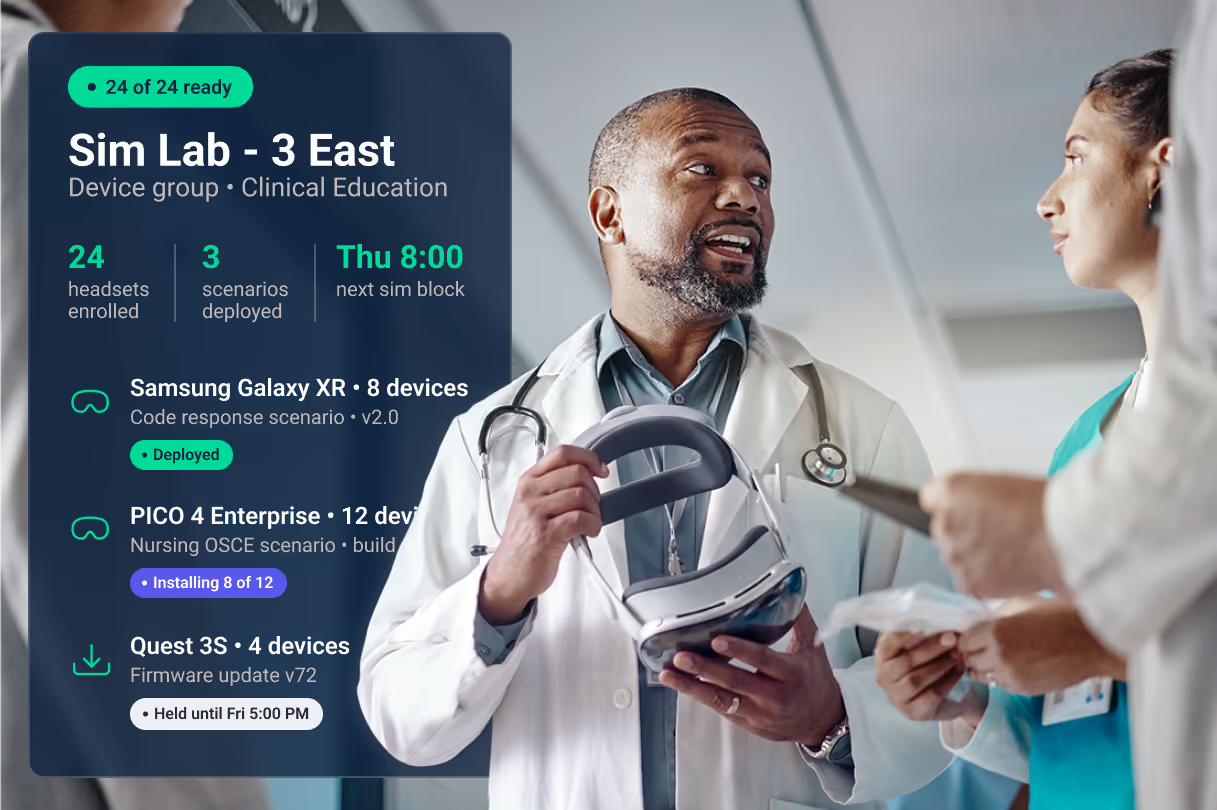
VR healthcare training, ready out of the box
You bought the headsets. ArborXR keeps them working with no extra work for your team: content on every device, updates on your schedule, Wi-Fi that connects on its own, and the security answers hospital IT asks for on day one.
Trusted by clinical and life-science teams
Everything healthcare needs to run XR at scale

Built for hospitals, sim labs, and med device teams
Hospitals and health systems
Clinical and patient programs on shared, locked-down headsets. Kiosk mode makes pre-op anxiety and pain-distraction programs simple enough for any clinician to hand a patient.
Nursing and medical education
The headset disappears; the scenario is all the student sees. Deploy by course, cohort, or campus, and hand your accreditor a competency record, not a sign-in sheet.
Hospitals and health systems
Clinical and patient programs on shared, locked-down headsets. Kiosk mode makes pre-op anxiety and pain-distraction programs simple enough for any clinician to hand a patient.
What VR looks like in practice
“VR is especially useful for practicing high-risk scenarios, situations that are hard to simulate at scale with live actors. In VR, we can provide a safe space for trainees to make mistakes.”
XR Designer
Boston Children’s Hospital
“We supported 8,000 patients with VR last year alone. Being able to push content, track usage, and show real-time data makes all the difference when pitching for funding and proving impact.”
Project Manager, Digital Innovation
Nicklaus Children’s Hospital
8,000+
patient VR uses in 10 months
40%
less training time with VR
169
VA medical centers running VR programs on 1,200+ headsets
Healthcare content running on arborxr
Already have a UEM? Keep it.
Intune and Workspace ONE see an Android device — they can't lock a headset into a scenario, stage XR releases, or report what happened in the sim. ArborXR runs alongside the UEM you already have. Headsets pass Intune compliance like any other device through our official Microsoft partnership, and we're Meta's official MDM partner.
Your UEM Keeps
Device inventory
Compliance status and conditional access
Identity and network policy
ArborXR Adds
Kiosk mode into a scenario
Staged XR content and firmware releases
What happened inside the sim
Security review, answered in advance
SOC 2 Type II and ISO 27001 certified, GDPR compliant. For healthcare, we give teams the controls to run XR programs in HIPAA-regulated environments.Works across Meta, Lenovo, HTC, PICO, and Magic Leap devices.
What hospital IT gets on day one
SOC 2 Type II report and ISO 27001 certificate, on request
Completed security questionnaire and data-flow overview
Content stored in a bucket you control, in the region you choose
Certificate enrollment for your secure Wi-Fi (SCEP, EST, PKCS, EJBCA)
In-headset and portal SSO, two-factor, audit logs, remote wipe



Common questions from healthcare teams
Is VR training HIPAA compliant?
Training content usually contains no patient data, but any headset in a clinical environment gets HIPAA-level scrutiny. What matters is whether you can control the devices: who accesses them, what's installed, and what the audit trail shows. ArborXR is SOC 2 Type II and ISO 27001 certified and gives healthcare teams those controls: single sign-on, role-based access, remote lock-down, and fleet-wide visibility.
How do you set up a VR simulation lab for nursing?
Four decisions matter: hardware (most programs start with 10 to 30 standalone headsets), content (virtual patient platforms or custom scenarios), device management (enrollment, kiosk mode, remote updates), and where VR fits your curriculum. 32 states now accept immersive simulation for up to a third of clinical hours. Our sim lab guide covers equipment, layout, and budget.
How do you scale VR across a hospital system?
The programs that scale treat VR as infrastructure: a clinical champion in each unit, device policies per department, staged content rollouts, and outcome data flowing to leadership from the start. That's how the VHA grew from a single ward to 169 medical centers.
Does ArborXR make VR training content?
No, and that's the point. ArborXR works with the healthcare content providers in the ArborXR Directory, 600+ verified providers in all, plus anything you build in-house. Your device infrastructure never locks you into one content vendor, and when a provider changes or a new headset ships, the program keeps running.
Can't our IT team manage headsets in Intune?
Intune can enroll an Android device; it can't run a sim lab. Kiosk mode into a scenario, XR content staging, in-headset analytics, and OEM enrollment like Meta's managed services all need XR-specific tooling. Most hospital IT teams run ArborXR alongside their existing UEM, and as an official Intune Device Compliance partner, we report headset compliance back into Intune.
Which headsets does ArborXR support?
Any standalone Android-based VR or AR device, including Meta Quest, PICO, HTC VIVE, Lenovo, and Magic Leap, with mixed models inside a single device group. When your sim center adds a new headset generation, both generations run side by side in the same group, so a hardware refresh never restarts the program.