The ArborXR you evaluated doesn't exist anymore.
If you last looked at us six, nine, or twelve months ago, you saw an XR device management platform. A good one. Since then we shipped live remote assistance with two-way audio, support for Meta AI glasses, an MCP server for your AI assistant, and a client release roughly every week. This page is the catch-up.








Three reasons people come back
When we ask teams that re-engaged what pulled them in, these are the three.
Every one shipped after most evaluations from last year ended.
Ask your fleet a question. Or your training data.
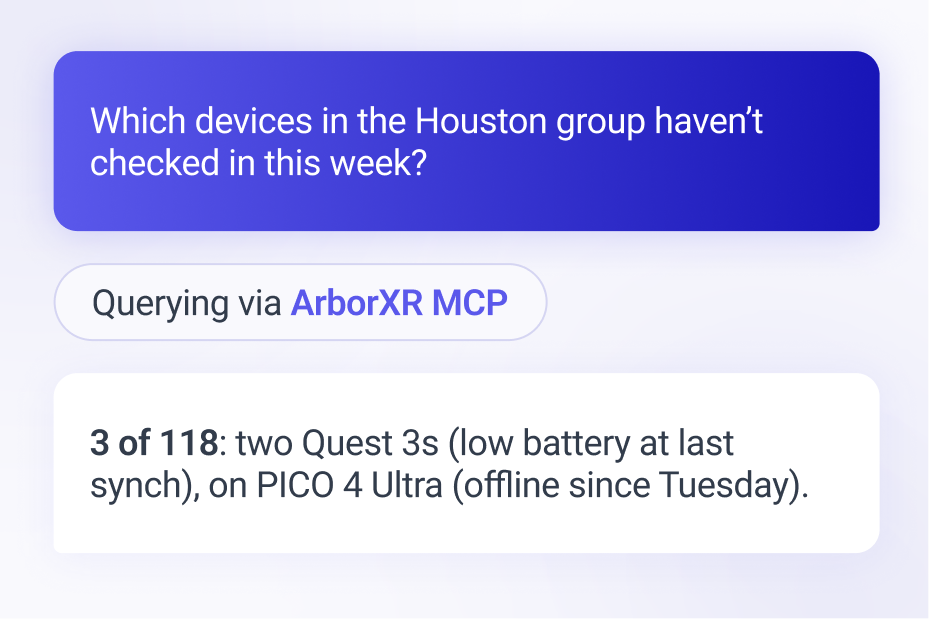
ArborXR now ships an MCP server. Connect Claude, ChatGPT, Cursor, or whatever your team already uses, and ask about your devices, content, deployments, audit history, and Insights training data in plain English. Every answer respects the asking user's role permissions. Underneath it: a rebuilt public API (v3) with user-scoped tokens and per-user audit logging. If you'd rather run ArborXR from your own tooling and never open the portal, you can.

MCP server that works with Claude, ChatGPT, Cursor, and more
One plain-English interface for devices and learner training results
Role-scoped and audit-logged · API v3 for headless everything
See what they see. Talk them through it.
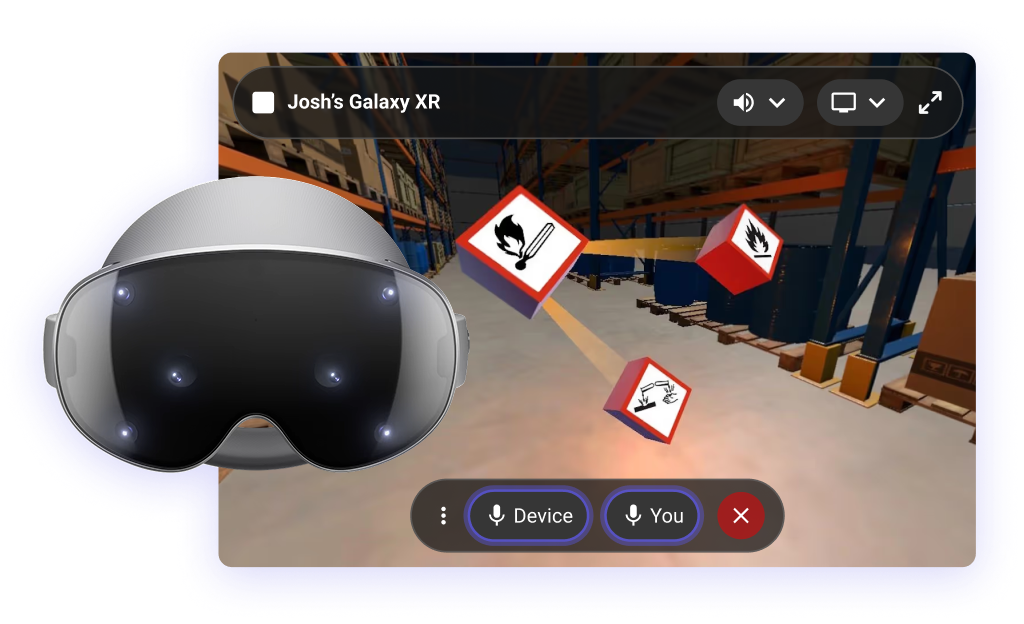
A trainee freezes mid-module. A headset misbehaves three time zones away. You used to book a call, ship a replacement, or guess. Now you open the device from the portal: live screen or point-of-view camera, and two-way audio. You talk to the person in the device, and they talk back. Nothing for them to install. Nothing to configure on their end.
Live screen casting and camera streaming, from the web portal
Two-way voice, plus the device's own app audio
Works across Meta Quest, PICO, HTC VIVE, Samsung Galaxy XR, Magic Leap 2, plus Meta AI glasses
Smart glasses showed up. We were ready.
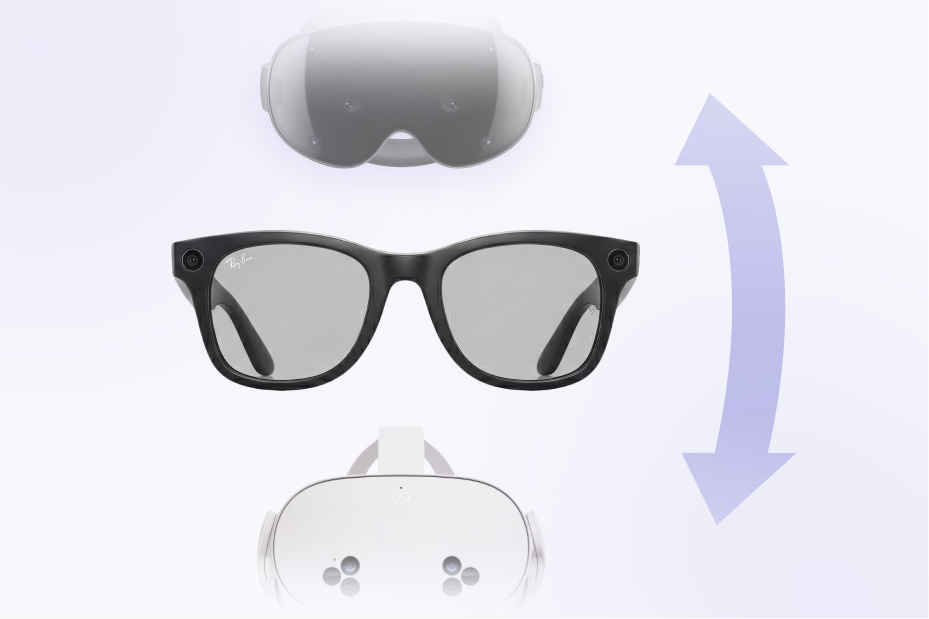
ArborXR is the first MDM to support Meta AI glasses: Ray-Ban Meta, Meta Ray-Ban Display, Oakley Meta Vanguard and HSTN. Pair them to an enrolled Android phone and your team streams the wearer's point of view and talks with them, live, for remote assistance. And when Android XR arrived, we were there on day one. Samsung Galaxy XR is fully supported: enrollment, kiosk modes, app deployment, fleet configuration.
While you were out
Conditional access, extended to XR
ArborXR became a Microsoft Intune Device Compliance Partner. Headsets stay managed in ArborXR and report compliance to Intune, so existing Entra policies cover XR without a second MDM. File and folder downloads landed in the remote file manager. Play For Dream MR went fully supported: enrollment, kiosk, custom home. And the MCP server picked up a round of improvements.
Two-way audio, camera feed streaming, and Meta AI glasses support
Two-way voice, device audio sharing, and live camera streaming, all from the portal. Same release: support for Meta AI glasses (Ray-Ban Meta, Meta Ray-Ban Display, Oakley Meta) for POV streaming and remote assistance. First MDM to do it.
Learner Launcher, and updates that download only what changed
Learners power on to a PIN or QR sign-in from your LMS and land straight in their assigned training. Content patching ships only what changed, with smart caching.
ArborXR supports the launch of Android XR Samsung Galaxy XR
Day-one support for Android Enterprise in XR on Samsung Galaxy XR.
The Meta Horizon Store, in your content library
Deploy from 500+ managed store titles to your Quest fleet: store apps and your own builds, side by side.
X-ray vision for device storage
Browse and search any device's file system from the portal, with a last-synced view even when it's offline. Deletes included.
Migrate consumer to Meta Horizon managed services
Batch-migrate consumer-enrolled Quest devices into managed enrollment, no factory reset required. Gaining access to controller battery life reporting, remote shutdown, and Managed Meta app store integration. Plus bundled files with app builds. When deployed via ArborXR, both the application and its dedicated content are installed together
That’s the highlight reel. The full changelog runs a lot longer.
Piloting glasses for frontline work?
Inspections, field service, guided work, remote assistance: that's exactly the conversation our team is having with customers right now. Bring us your use case.
Keep free HMS. Add the layer it was never built to be.
In January 2026, Meta laid out where its first-party device management is headed. If your Quest fleet runs on it, three items matter:
Horizon managed services is free as of Feb 20, 2026, down from $179.99 per device, per year.
HMS is sun-setting in 2030. Maintenance mode until then: bug fixes and security updates only. No new features.
New business Quest headsets. Future Quest hardware is consumer-only.
That's not a knock on Meta. It's the roadmap, stated plainly. And it makes your decision simpler: ArborXR doesn't compete with Horizon managed services anymore. It runs on top of it. Zero-touch registration of consumer Quests into HMS. Managed Meta App Store apps. Wi-Fi settings locked behind an admin PIN. Controller-free mode, stationary boundaries, offline mode, remote shutdown, on HMS devices, from one console.
Running Quest in the classroom? Free HMS plus ArborXR's Classroom plans is the affordable path, and the supported one.