

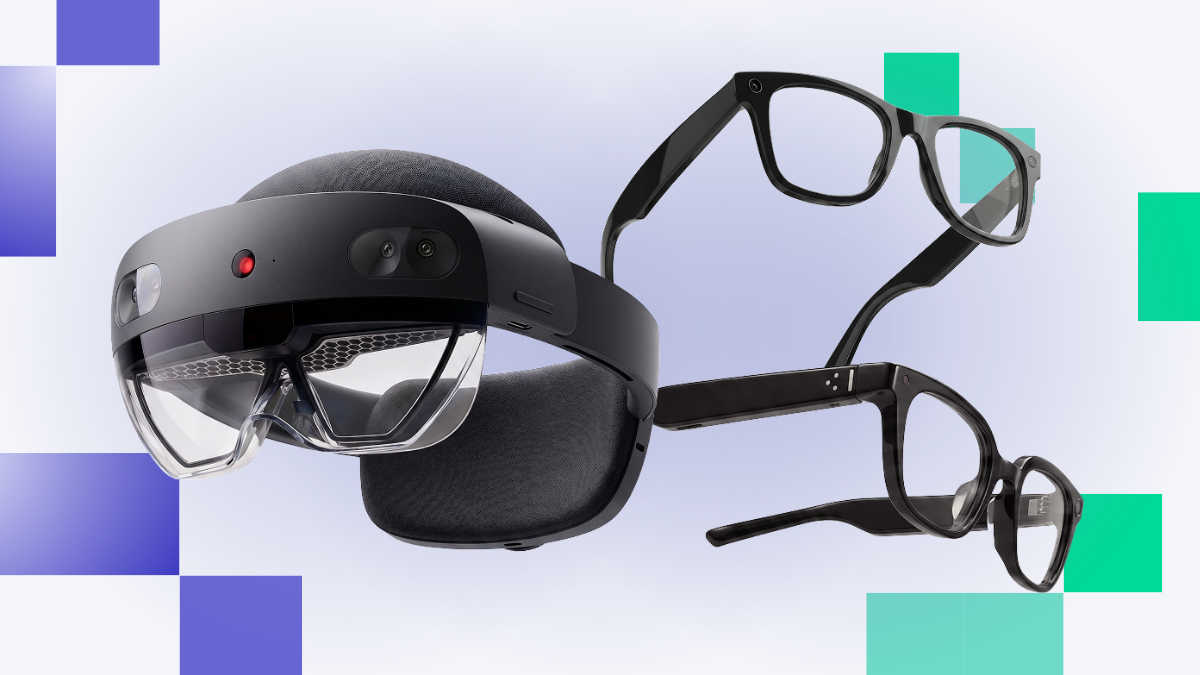
Is a Meta Ray-Ban Display an enterprise wearable or a consumer accessory? Does a RealWear Navigator 500 compete with an HMS SiNGRAY G2? Can your XR team run all of them from the same platform that runs your VR fleet?
The right AR device comes down to 3 things: the job the worker is doing, how the device connects (standalone or phone-tethered), and whether your device management platform supports it. Most buyers nail the first one and skip the other two. Those are the ones that decide whether your program scales past a pilot.
AR glasses and AI wearables also change what "XR" means at work. A VR headset comes off after a 20-minute training session. AR glasses stay on for the whole shift, hands-free, guiding the worker while they do the actual job. That's a different use case, a different form factor, and a very different management problem.
This guide covers the enterprise AR glasses and AI wearables worth evaluating in 2026: what each does well, where each falls short, and how each fits into a managed deployment.
Note: This guide focuses on glasses as a form factor. Headsets with passthrough AR, like the Samsung Galaxy XR, Meta Quest 3, and PICO 4 Ultra Enterprise, are covered in our enterprise VR headset guide.
What's the right AR device for your deployment?
Matching hardware to your use case means knowing which category each device sits in, how it connects, and what your IT team can actually control. The short version:
For hands-free industrial work, the RealWear Navigator 500 and Vuzix M400 are the proven picks, and both are fully managed on ArborXR.
For true optical AR, the HMS SiNGRAY G2 is the most direct path off HoloLens 2, and Snap Specs show where the category is headed.
For all-day AI assistance, the Meta Ray-Ban Display leads, with the HTC VIVE Eagle and Rokid Glasses close behind.
For knowledge workers who need a wearable second screen, the XREAL One Pro is the most manageable option.
No device is perfect. Knowing your use case, connection model, camera requirements, and management platform compatibility is what drives the right call.
AR device and AI wearable comparison
*Retail starting prices shown. Enterprise and volume pricing varies. Contact your hardware vendor or authorized channel partner for a quote.
Core AR capabilities: what do the key specs actually mean for enterprise?
Four categories, not one
The first mistake buyers make is treating "AR glasses" as one category. There are at least four, and each solves a different problem. Picking the wrong spec is recoverable. Picking the wrong category means starting over.
Industrial AR (RealWear, Vuzix M400, Vuzix Z100) puts a small screen in the worker's field of view. Voice-controlled, rugged, often helmet-mounted. Built for guided procedures, remote expert calls, and inspection documentation. Some people call this "assisted reality," since it shows information next to the world rather than on top of it.
Optical AR (HMS SiNGRAY G2, Snap Specs, HoloLens 2) overlays digital content directly on the physical world through see-through optics. Content stays anchored in place as the wearer moves. Built for assembly guidance, digital twins, and precision work.
AI smart glasses (Meta Ray-Ban Display, HTC VIVE Eagle, Rokid Glasses) look and wear like normal eyewear. Voice-driven AI assistant, camera, and a small optional display for captions and notifications. Workers wear them all day.
Display glasses (XREAL One Pro, XREAL Air, VITURE Luma Ultra) are a wearable screen. Plug them into a phone, laptop, or compute puck and you get a large virtual monitor. Built for knowledge workers, not guided industrial work.
Android, AOSP, and Android XR
Most enterprise AR devices run some version of Android, and the version matters for how they get managed.
Android is Google's full operating system, including Google Mobile Services. Phones, tablets, and most rugged enterprise devices run it.
AOSP (Android Open Source Project) is the open-source base of Android without Google's services layer. Many XR devices run a customized AOSP build, so enrollment runs through the manufacturer's path or a vendor setup tool rather than Google's standard flow.
Android XR is Google's newer operating system built specifically for headsets and glasses, developed with Samsung and Qualcomm. Android XR glasses are still coming to market, so it's worth tracking if your evaluation window runs 12 to 24 months.
Camera or camera-free?
Nearly every device on this list has a camera. That's often the point: remote experts see what the worker sees, and AI interprets what's in front of them.
But cameras bring governance questions. Teams deploying camera-equipped devices in privacy-sensitive locations, secure facilities, or places where recording and bystander-consent policies apply should evaluate those requirements through their own security and legal frameworks. If camera-free is a hard requirement, the list gets short fast: the Vuzix Z100, the XREAL Air, and the XREAL One Pro without the optional camera add-on.
Standalone or tethered?
Standalone devices run their own OS and enroll directly into a management platform. Tethered devices rely on something else for compute and connection, and that something else is usually what gets managed.
For the XREAL One Pro, that's the Beam Pro puck, which enrolls into ArborXR and gets the full feature set. For Meta AI glasses, it's the paired Android phone. ArborXR enrolls and manages the phone and supports Remote Assistance through the glasses, but doesn't manage the glasses themselves. Know which piece of hardware you're actually managing before you buy a fleet.
Procurement
Enterprise AR hardware procurement works differently than consumer purchasing, especially for devices like the SiNGRAY G2 and Vuzix Z100 that don't list public pricing.
Organizations building a fleet buy through authorized channel partners who specialize in enterprise hardware. These partners handle bulk purchasing, regional availability, compliance requirements, and long-term program support. The right partner also provides extended warranties, device replacement programs, and deployment services that consumer retail doesn't.
ArborXR connects enterprise teams with trusted channel partners as part of a broader device management strategy. Reach ArborXR's channel sales team directly at channel-sales@arborxr.com.
Device details
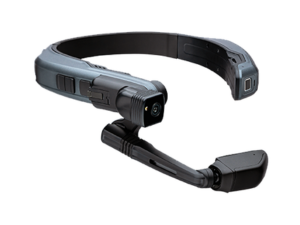
RealWear Navigator 500
Pros
- Fully hands-free: 100% voice-controlled, so hands stay on the equipment all shift.
- Best camera in the guide: 48MP modular camera built for inspection documentation and remote expert streaming. Optional thermal module.
- Built for rough conditions: IP66-rated, MIL-STD-810H drop-tested, rated up to 50°C / 122°F.
- Hears you over the noise: Noise cancellation handles environments up to 100dB.
- No charging breaks: Hot-swappable battery for continuous all-shift use.
Cons
- Not true AR: It's a small screen in the field of view, not digital content anchored to the physical world.
- Voice has a learning curve: Performance varies by language and ambient noise.
- Industrial form factor: Mounts to a hard hat or helmet, which limits it outside industrial settings.
- Needs a specific use case: At ~$2,600, it's not a general-purpose wearable.
Overview
The RealWear Navigator 500 is the benchmark for industrial assisted reality. It places a small screen in the worker's peripheral vision and runs entirely on voice commands. What it does well: put a remote expert call, a step-by-step workflow, or live equipment data in front of a worker whose hands can't leave the job.
Firmware 2.0 brought Android 13, enterprise Wi-Fi certificate support, a redesigned voice engine, and 4G LTE support through RealWear Cloud. It enrolls into ArborXR through standard Android enrollment.
RealWear has since released the Navigator 520 with a 20% larger display. Compare the two before you finalize an order.
Our Take: RealWear Navigator 500
If the job is hands-free work on a factory floor, oil rig, or outdoor site, this is the device. Nothing else in this guide matches its ruggedness, camera, and voice control in a helmet-mounted form factor. Just don't put it in an office. That's not what it's for.
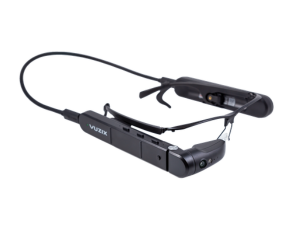
Vuzix M400
Pros
- Proven at scale: More than 1,000 Vuzix M400s already run on ArborXR.
- Rugged and light: IP67-rated (waterproof and dustproof), 2-meter drop-tested, and about 83g for the glasses unit.
- True heads-up display: Monocular optical waveguide OLED puts information in the line of sight.
- Regulated-environment certifications: IEC 60601-1-2 medical EMC and ISO 14644-1 Class 2 cleanroom certifications. (Verify with Vuzix before publish.)
- Fully managed: Enrolls through the ArborXR Device Setup App like any other Android device in the fleet.
Cons
- Aging OS: Runs Android 11, so plan for OS lifecycle.
- Older chip: Snapdragon XR1 has less headroom than newer chipsets.
- Short standard battery: The 750mAh IP67 battery is limited. The extended power bank isn't IP67-rated.
- Small screen: One eye, small display. Great for instructions, not for detailed visuals.
Overview
The Vuzix M400 is one of the most certifiable devices in this guide. Its medical EMC and cleanroom certifications open environments most AR glasses can't enter. A medical EMC certification doesn't make it a medical device. It means it's been tested for electromagnetic compatibility in medical settings. For clinical, lab, or sterile environments, that's a deciding factor worth confirming directly with Vuzix.
Our Take: Vuzix M400
The M400 belongs in any evaluation where RealWear doesn't fit, especially where cleanroom or medical EMC certifications are the barrier to entry. It's also one of the most battle-tested AR devices on ArborXR. Android 11 is a real long-term consideration, so ask Vuzix about its update path before a large commitment.
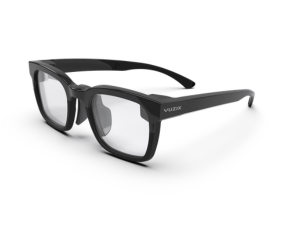
Vuzix Z100
Pros
- Wears like normal glasses: About 35 to 38g, prescription-ready.
- Battery for days: Up to 48 hours on a single charge.
- See-through heads-up display: Monocular microLED waveguide, 640 × 480 monochrome green, 30° field of view, right eye.
- Camera-free by design: Easier to clear for privacy-sensitive or secure sites.
- Open to developers: Android and iOS SDKs, plus Vuzix Connect demo apps and sample code.
Cons
- Text, not visuals: A green monochrome display is built for glanceable info, not video or 3D content.
- Needs a phone: Pairs to Android or iOS over Bluetooth Low Energy.
- No camera: No remote expert view or visual documentation.
- Management is phone-side: The glasses pair to a phone rather than running their own OS.
Overview
The Vuzix Z100 is a heads-up display for frontline workers who need information at a glance without stopping what they're doing. Notifications, workflow confirmations, captions, translation, and data from scanners or sensors show up in the lens, pushed from a paired phone.
Our Take: Vuzix Z100
The lightest display glasses in this guide, and the easiest to wear all shift. If the job is "show me the next pick, the next step, the next alert," it's a great fit. If the job needs a remote expert to see what the worker sees, look at the M400 or RealWear instead.
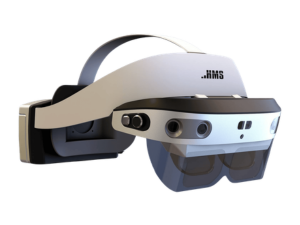
HMS SiNGRAY G2
Pros
- True optical AR: See-through birdbath optics with 1080p Sony Micro-OLED displays anchor digital content in physical space.
- Enterprise-only: No consumer version. Built for manufacturing, construction, logistics, and healthcare.
- Hot-swappable battery: Swap mid-shift without powering down.
- Rugged for glasses: IP65-rated against dust and water.
- Flexible tracking: 6DoF and 3DoF modes, hand tracking, and voice control. No controllers required.
- Ready for developers: Supports OpenXR and Unity AR Foundation, with frontline.io pre-installed.
Cons
- Bulky for glasses: Around 320g, lighter than HoloLens 2 but heavy next to smart glasses.
- Narrower field of view: Roughly 47–48.5° diagonal, a bit under HoloLens 2's 52°.
- Young ecosystem: HMS comes from AI vision and is newer to AR hardware. The app ecosystem is still building.
- No public pricing: Quotes go through HMS or a channel partner.
Overview
The HMS SiNGRAY G2 is the optical AR headset built to pick up where HoloLens 2 and Magic Leap 2 left off. It uses birdbath optics instead of waveguides, which are cheaper to produce and bright enough for industrial use. Digital instructions, assembly plans, and remote expert annotations stay locked in place on the physical world.
It enrolls into ArborXR through the Device Setup App and manages alongside the rest of your fleet: app deployment, device policies, and fleet visibility work the same way as other Android-based XR devices.
Our Take: HMS SiNGRAY G2
If your program depends on content anchored in physical space, this is the device to evaluate first. It's the most direct migration path for HoloLens 2 fleets, and the only optical AR option here still in active development. Budget time to vet the vendor and the app ecosystem before you scale, since both are still young.
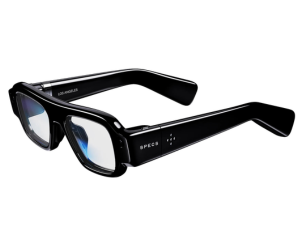
Snap Specs
Pros
- True AR, no puck: Fully standalone glasses with two Snapdragon processors. No phone or compute pack required.
- Big, full-color view: Waveguide display with a 51° field of view, close to HoloLens 2 in a glasses form factor.
- Light for real AR: 132 to 136g, less than half the weight of the SiNGRAY G2.
- Fast hand tracking: 7ms response time, plus spatial mapping.
- AI built in: OpenAI and Google Gemini assistants that use the cameras and mics, with live translation in 40+ languages.
- Actually wearable: Electrochromic lenses that tint in about 10 seconds, with prescription support.
Cons
- Not supported by ArborXR yet: No fleet management today.
- Runs Snap OS: It's not Android, so standard enterprise enrollment paths don't apply.
- Consumer price, consumer focus: $2,195, with enterprise features still unproven.
- Short battery: About 4 hours per charge. The charging case adds about 20 more.
- Some specs still under wraps: Snap hasn't published display resolution or max brightness.
- Brand new: Shipping fall 2026 in the US, UK, and France only.
Overview
Snap Specs are Snap's first consumer AR glasses, and the most ambitious hardware on this list. They do what HoloLens 2 and Magic Leap 2 did, anchoring digital content in the real world, in something that looks a lot more like a normal pair of glasses. Snap's Lens Studio has been around since 2017, so there's a real developer ecosystem to build on.
For enterprise, it's a watch-this-space device. Standalone, see-through, full-color AR at 132g is exactly what frontline teams have been asking for. But it's consumer-first, it runs its own OS, and there's no fleet management story yet.
Our Take: Snap Specs
The most exciting glasses here, and the least ready for a managed fleet. Pilot them if you want to get ahead of where optical AR is headed. Just don't plan a rollout until management support catches up. Want ArborXR to support Specs? Request support and tell us about your use case.
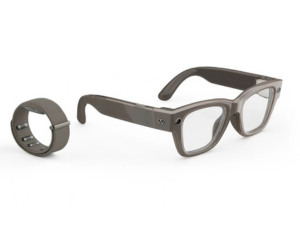
Meta Ray-Ban Display
Pros
- People actually wear them: They look like a normal pair of Ray-Bans, so there's almost no onboarding friction.
- Light: About 50g.
- Built-in AI: Live captions, translation, navigation, notifications, and a voice-and-gesture AI assistant.
- Solid camera: 12MP ultra-wide with 3K video for documentation and AI visual context.
- Readable outdoors: 5,000-nit display works in direct sunlight.
- Remote Assistance through ArborXR: Camera feed streaming and 2-way audio through the paired phone.
Cons
- Small display: 600 × 600, monocular, 20° field of view.
- Needs a phone: Most features require a paired smartphone and the Meta AI app.
- Always has a camera: Recording and bystander-consent policies need a governance conversation before deployment.
- Limited management: ArborXR supports Remote Assistance on the glasses. The paired phone is what gets enrolled and managed.
- One more thing per wearer: The Neural Band wristband is a separate piece of hardware.
- Cloud-dependent AI: AI features run on Meta's infrastructure.
Overview
The Meta Ray-Ban Display launched in September 2025 at $799, and it does something nothing else here does: puts a camera and an AI assistant in a form factor workers wear all day without complaining. The display projects notifications, captions, directions, and AI responses into the right lens.
Here's how it fits into ArborXR. The glasses pair to a phone over Bluetooth. ArborXR enrolls and manages that phone, and supports Remote Assistance workflows through the glasses: a remote expert sees the worker's camera feed and talks with them over 2-way audio. App deployment, kiosk mode, and device policies apply to the phone, not the glasses.
Teams deploying camera-equipped AI glasses where recording or bystander-consent policies apply should evaluate those requirements through their own governance framework. ArborXR provides device-level controls teams use as part of their own governance posture. It doesn't determine or certify compliance for any deployment.
Our Take: Meta Ray-Ban Display
The first AI wearable workers wear voluntarily, all day. It's not a spatial computing device and it won't replace an industrial AR headset. It's a hands-free assistant in normal eyewear. For communication, light guidance, and remote expert calls, it's the front-runner in its category. Just go in knowing that fleet control lives on the phone, and camera governance is the first procurement conversation for any regulated site.
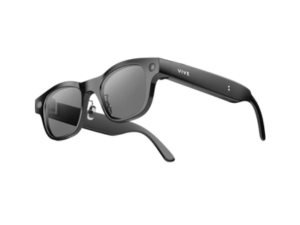
HTC VIVE Eagle
Pros
- Pick your AI: HTC's own VIVE AI assistant, with optional Google Gemini and ChatGPT.
- Privacy built into the hardware: The recording LED is tied to the camera, so blocking the light stops capture, and the camera shuts off when the glasses come off.
- Data stays local: Notes and transcriptions are encrypted with AES-256 on the device, and HTC says user data isn't used to train its AI models.
- Solid camera: 12MP ultra-wide with 3K video.
- Light and weather-ready: About 49g, IP54-rated.
- Useful out of the box: Live translation in 13 languages, hands-free notes, and transcription that tells speakers apart.
Cons
- No display: Everything is audio. Nothing shows up in the lens.
- Consumer-first: Built and sold as a consumer product, with enterprise use still unproven.
- Subscription question: VIVE AI Plus comes as a 24-month trial. HTC hasn't said what it costs after that.
- Pricier than the obvious rival: $499 in the US, about $200 more than entry-level Ray-Ban Meta.
- New to the US and Europe: Just launched here in September 2026.
Overview
The HTC VIVE Eagle is HTC's answer to Ray-Ban Meta: a display-free pair of AI glasses with a camera, speakers, and an assistant you talk to. The pitch is openness and privacy. You're not locked into one AI, and the privacy protections are hardware decisions, not just policy language.
For enterprise teams, that privacy story is the interesting part. Camera governance is the first question on any regulated site, and a camera that physically can't record with its LED blocked is an easier conversation with security and legal.
Our Take: HTC VIVE Eagle
A credible Ray-Ban Meta alternative for teams that care most about AI choice and privacy. It's early for enterprise, and the missing display limits it to voice and camera workflows. Worth piloting if Meta's ecosystem is a non-starter for your security team.
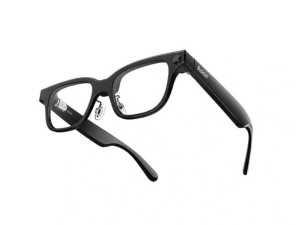
Rokid Glasses
Pros
- Display in both eyes: Dual monochrome green MicroLED waveguides, 480 × 398 per eye, 23° field of view, up to 1,500 nits.
- Barely there: About 49g, with prescription support.
- Open AI: Works with ChatGPT, Gemini, DeepSeek, and Qwen instead of locking you into one assistant.
- Solid camera: 12MP Sony sensor for first-person capture and AI visual context.
- Translation at scale: Real-time translation in 89 languages.
- Proven demand: One of the top sellers among AI glasses with a display.
Cons
- Not on ArborXR's supported list: No fleet management today.
- Needs a phone: Runs through the Hi Rokid companion app.
- Green text only: Monochrome display, built for captions and prompts, not visuals.
- Consumer-first: Built for everyday wear, with enterprise features still unproven.
- Procurement review: Some organizations may require additional security or procurement review for hardware from Chinese manufacturers.
Overview
Rokid Glasses are the closest head-to-head rival to the Meta Ray-Ban Display: normal-looking glasses with a camera, an AI assistant, and a small display for captions, translation, navigation, and prompts. Where Meta locks you into its own AI, Rokid lets you pick.
Rokid also sells the Ai Glasses Style, a display-free version at $299 that competes more directly with the entry-level Ray-Ban Meta.
(Verify: US price. Sources range from $499 to $699 depending on bundle and region.)
Our Take: Rokid Glasses
A strong, flexible alternative to Meta's display glasses, especially for teams that want AI choice and heavy translation use. Without management support, it's a pilot device for now. Want ArborXR to support Rokid? Request support and tell us about your use case.
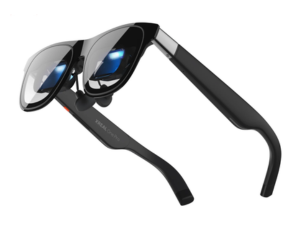
XREAL One Pro
Pros
- Full ArborXR feature set: The Beam Pro puck enrolls via QR code and gets app and content management, single and multi-app kiosk mode, location tracking, Remote Assistance (casting, camera feed, 2-way audio), and remote launch, reboot, and factory reset.
- Comfortable all day: About 87g.
- Sharp, big screen: 1920 × 1080 per eye at 120Hz with a 57° field of view, plus Bose-tuned audio.
- Affordable for what you get: $599 for a manageable wearable display.
Cons
- Not standalone: Needs the Beam Pro, a phone, or a laptop over USB-C.
- No camera by default: The XREAL Eye camera module is a separate ~$100 add-on.
- 3DoF only: No 6DoF spatial tracking on the glasses themselves.
- Not rugged: No IP rating. Not built for industrial sites.
- No ArborXR Home: Kiosk mode works, but the custom Arbor Home environment isn't available on the Beam Pro.
Overview
The XREAL One Pro is display glasses, not industrial AR. Plug it in and you get a large virtual screen, basically a wearable second monitor. The use case is productivity: a knowledge worker reading reference docs, taking a video call, or watching a dashboard hands-free at a desk or in transit.
It ships with the Beam Pro, a compute puck that works like an Android phone without the phone part. The Beam Pro is what enrolls into ArborXR, and once enrolled it gets all core Arbor features. That makes the One Pro much easier to manage at scale than most tethered glasses.
Our Take: XREAL One Pro
A strong pick when the job is "give knowledge workers a wearable second screen." The Beam Pro pairing turns the One Pro into a genuinely manageable fleet device, which is rare for glasses in this price range. Skip it for industrial environments, guided field work, or anything that needs 6DoF.
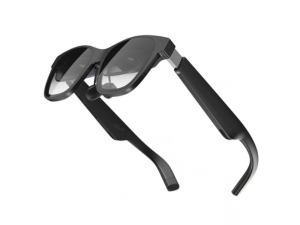
XREAL Air 2
Pros
- Budget-friendly: $399 at launch, and often discounted now.
- Light: About 72g.
- Sharp picture: Sony Micro-OLED at 1080p per eye, up to 500 nits and 120Hz.
- Plug and play: Connects to a phone or laptop over USB-C with no extra hardware.
- Camera-free: No camera at all, which keeps privacy reviews simple.
Cons
- Not on ArborXR's supported list: Whatever device it plugs into is what you'd manage.
- Narrower view: About 46°, smaller than the One Pro's 57°.
- 3DoF only: No spatial tracking.
- Not rugged: No IP rating.
Overview
The XREAL Air 2 is the budget entry into wearable displays. It mirrors or extends a phone or laptop screen into a big virtual display, with no camera and no compute of its own. For a small pilot or a camera-free requirement, it's the simplest option on this list.
Our Take: XREAL Air 2
Fine for testing whether wearable displays work for your team. For anything you plan to manage as a fleet, step up to the One Pro and its Beam Pro.
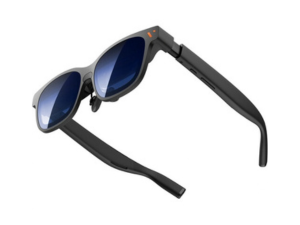
VITURE Luma Ultra
Pros
- More than a screen: 6DoF tracking, gesture control, and dual depth cameras, which is rare for display glasses.
- Bright and sharp: Sony Micro-OLED display at 1200p and up to 1,250 nits.
- Built for business buyers: VITURE positions the Ultra for high-end and enterprise use.
- Plug and play: Connects to a phone or laptop over USB-C.
- Reasonable price: $599.
Cons
- Not on ArborXR's supported list: Whatever device it plugs into is what you'd manage.
- Not standalone: Needs a phone, laptop, or other host device.
- Consumer company: VITURE's roots are in entertainment and gaming glasses.
- Not rugged: No IP rating.
- Cameras on board: The depth cameras add a governance conversation that camera-free display glasses skip.
Overview
VITURE makes some of the best-reviewed display glasses on the market, mostly for travel, gaming, and movies. The Luma Ultra is the model aimed at work: it adds spatial tracking and depth sensing on top of a bright Micro-OLED display, so content can stay pinned in space instead of following your head.
VITURE's newer flagship, the Beast ($549), has a wider 58° field of view but sticks to 3DoF and is more entertainment-focused.
(Verify: Luma Ultra field of view and weight.)
Our Take: VITURE Luma Ultra
The most capable display glasses here for spatial productivity. If you're choosing between VITURE and XREAL for knowledge workers, XREAL's One Pro wins on manageability today thanks to the Beam Pro. The Luma Ultra wins on tracking and brightness.
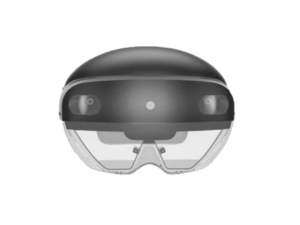
HoloLens 2 (legacy)
Pros
- Large install base: Plenty of existing enterprise apps and deployments.
- Stable hardware: Still works for teams in active deployment.
Cons
- Out of production: Microsoft ended production in October 2024.
- No successor: Microsoft confirmed its exit from HoloLens hardware in February 2025.
- Support clock is running: Security updates and software support end December 31, 2027.
- Can't buy new: No longer available through standard channels.
Overview
HoloLens 2 is on this list because a lot of teams still run it. It launched in 2019 and built a big install base in manufacturing, healthcare, and field service. It still works. But it's end-of-life hardware.
Security patches stop on December 31, 2027. After that, no patches, no bug fixes, no OS updates. Migrating the apps takes longer than swapping the hardware, so the planning should start now. The HMS SiNGRAY G2 is the most direct optical AR alternative. For more on migration paths, see our HoloLens 2 alternatives guide. (Link to B2-112.)
Our Take: HoloLens 2
This is a wind-down device, not a recommendation. Don't buy it for new deployments. If you already run a fleet, plan the move now, not when December 2027 is six months out.
Final thoughts
So, which enterprise AR device or AI wearable should you buy?
That depends on the job it's going to do.
Hands-free guided work in the field? RealWear Navigator 500 or Vuzix M400. Cleanroom or clinical setting? Start with the Vuzix M400 and its certifications. Content anchored in physical space, or moving off HoloLens 2? HMS SiNGRAY G2. All-day AI assistant for communication and remote expert calls? Meta Ray-Ban Display. AI glasses where privacy is the dealbreaker? HTC VIVE Eagle. Glanceable info with no camera at all? Vuzix Z100. Want AI choice with a display in the lens? Rokid Glasses. Wearable second screen for knowledge workers? XREAL One Pro, or the VITURE Luma Ultra if spatial tracking matters more than manageability. Getting ahead of where optical AR is headed? Pilot Snap Specs.
The wrong spec is recoverable. The wrong category means rebuilding from scratch. And the right category only pays off if you can manage it once there are 200 of them.
Command your fleet of XR devices with ArborXR
Enterprise XR programs rarely stay single-device. As use cases grow from VR training into field AR and AI wearables, the management layer underneath has to keep up. The same ArborXR dashboard that runs your Meta Quest fleet manages RealWear devices in the field, Vuzix glasses in the warehouse, SiNGRAY G2 headsets on the line, and XREAL One Pro setups at the desk. It supports Remote Assistance on Meta AI glasses through the paired phone, too.
Confidently manage AR and VR devices at scale, remotely install content, and control what users can see and do. ArborXR is built with enterprise-level security, and trusted by 5,500+ organizations and 80+ Fortune & Global 500s.