
Your VR teleoperation headsets, locked down and ready for every shift
Lock down every teleop and data collection headset, push updates from one console, and wipe a device the minute an operator leaves.
Or start a free trial. No credit card required.












What your team controls on every teleop headset
Keep data collection running
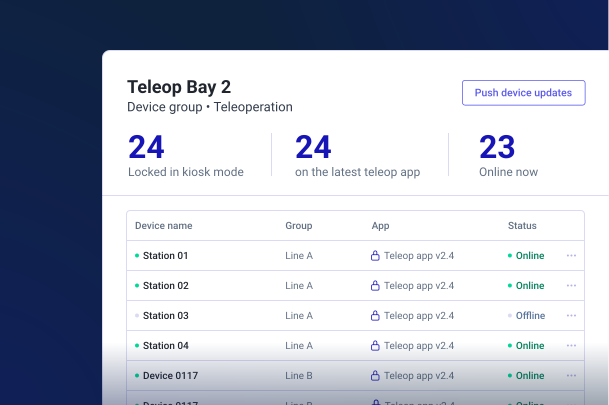
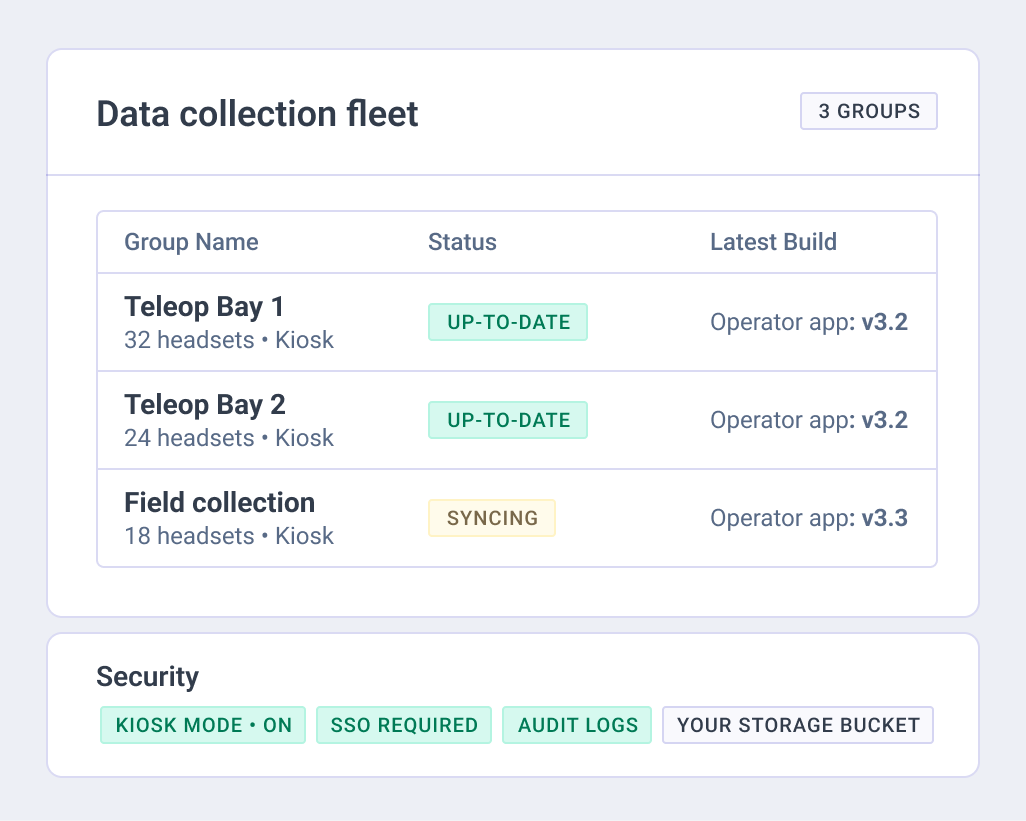
Your dataset grows only while operators are in the headset. Every headset in a group runs the same operator app version, and your team pushes updates to the whole group at once.
Keep your builds in storage you control
Your content sits in a storage bucket you control, in the region you choose. Your team decides who gets admin access, down to the device group, and audit logs record what changed.
Know where every headset is, and who used it
Location tracking shows where each headset is. Session Analytics shows who used it and what they did. When an operator leaves, your team wipes or factory resets the headset remotely.
Stop setting up headsets one by one
Enroll headsets with a QR code, the Device Setup App or a configuration package, depending on the device. Then group them the way your teleop and data collection teams work, and push Wi-Fi, certificates, apps and updates to the whole group.
Lock each headset to the operator app
Kiosk Mode locks a headset to one app, and your team limits access to settings and pre-installed apps. Every operator starts the shift in the same app, on the version their group runs.
Roll out new batches on your terms
A configuration package bundles Wi-Fi, certificates, group and environment in one unit. Your team can preload content for sites with no connection, or have a reseller pre-provision headsets so they arrive enrolled.
For the teams that put operators in headsets
Humanoid developers
Your operators teleoperate robots from VR headsets to train and test them. Every headset opens on the operator app, ready for the next shift.
Robot learning and data collection
When headsets feed the dataset, they are production equipment. Your team sees where each one is and keeps every site on the same app version.
Factory and warehouse robotics
Your deployment team trains operators on headsets at each customer site, with the same apps and settings on every group.
What teams running XR on ArborXR say
“We’ve been able to use ArborXR with the Canadian Space Agency because it’s so secure. And then, we can now distribute apps that we own, and we have control of the headsets. And even with future customers, we can say, ‘You guys can buy the headsets. We still have control over the deployment. You won’t have access to all of the code and that sort of thing anymore,’ which is a huge win for us.”
Lead VR Developer & Project Lead, DREAMR Lab, MDA Space
“…our enterprise customers can more effectively than ever manage large amounts of devices in their IT infrastructure, opening new opportunities. ArborXR has been a great tool for our team in managing events, allowing us to prepare hundreds of headsets in a fraction of the time compared to the hours it would cost in the past.”
Marketing Director, VR Expert
Keep your IP in house. Roll out on your terms.
Some teams want headsets ready on arrival. Others keep every device inside their own walls. Your team picks: enroll headsets yourself and preload content in house, or have a reseller pre-provision them so they arrive enrolled.
- Your operator app and its builds
- Your content, in a bucket you control and a region you choose
- Your enterprise Wi-Fi and certificates (SCEP, EST, PKCS, EJBCA)
- Kiosk Mode on every headset
- Version management by group, with release channels
- Location tracking and remote wipe
Security review, answered in advance
Your headsets run on the rules IT already has: your SSO, your certificates, your storage bucket in your region. IT sets the guardrails once, then hands the keys to the robot operations team.
What your IT team gets on day one
SOC 2 Type II and ISO 27001 certified, GDPR compliant, built to give healthcare and education teams the controls to run XR programs in HIPAA- and FERPA-regulated environments
Official Microsoft Intune Device Compliance partner
Portal SSO, in-headset SSO and two-factor authentication
Content in a customer-controlled bucket, in the region you choose
Audit logs, remote wipe and factory reset
Containerized deployment for air-gapped environments



Common questions from robotics teams
Which VR headsets does ArborXR device management support for teleoperation?
Every headset family runs in one console, including Meta Quest, PICO, HTC VIVE, Samsung Galaxy XR, Play For Dream MR and DPVR, plus AR devices such as Magic Leap 2. Your team can mix models inside a single group. Capabilities differ by device.
Can we keep our builds in our own storage?
Yes. Your content sits in a customer-controlled storage bucket in the region you choose. The ArborXR control plane runs in the US.
How do we set up a new batch of headsets without doing it one by one?
Enroll with a QR code, the Device Setup App or a configuration package, depending on the device. A configuration package bundles Wi-Fi, certificates, group and environment, so every new headset lands in the right group with the right settings.
What happens to a headset when an operator leaves?
Your team wipes or factory resets it remotely, and location tracking shows where it is.
Can we lock headsets to our teleop app?
Yes. Kiosk Mode locks a headset to a single app, and your team limits access to settings and pre-installed apps.
Is ArborXR certified?
ArborXR is SOC 2 Type II and ISO 27001 certified, GDPR compliant, built to give healthcare and education teams the controls to run XR programs in HIPAA- and FERPA-regulated environments.
See your teleop fleet in one console
Book a demo and we'll build the rollout plan with you, or start a free trial and enroll your first headsets today.
Or start a free trial. No credit card required.
